Updating Metadata
Updating metadata for analyses in Songs database using various methods.
Using Swagger UI
Update an individual analysis through the PATCH PatchUpdateAnalysis endpoint in the Analysis dropdown on the Swagger UI.
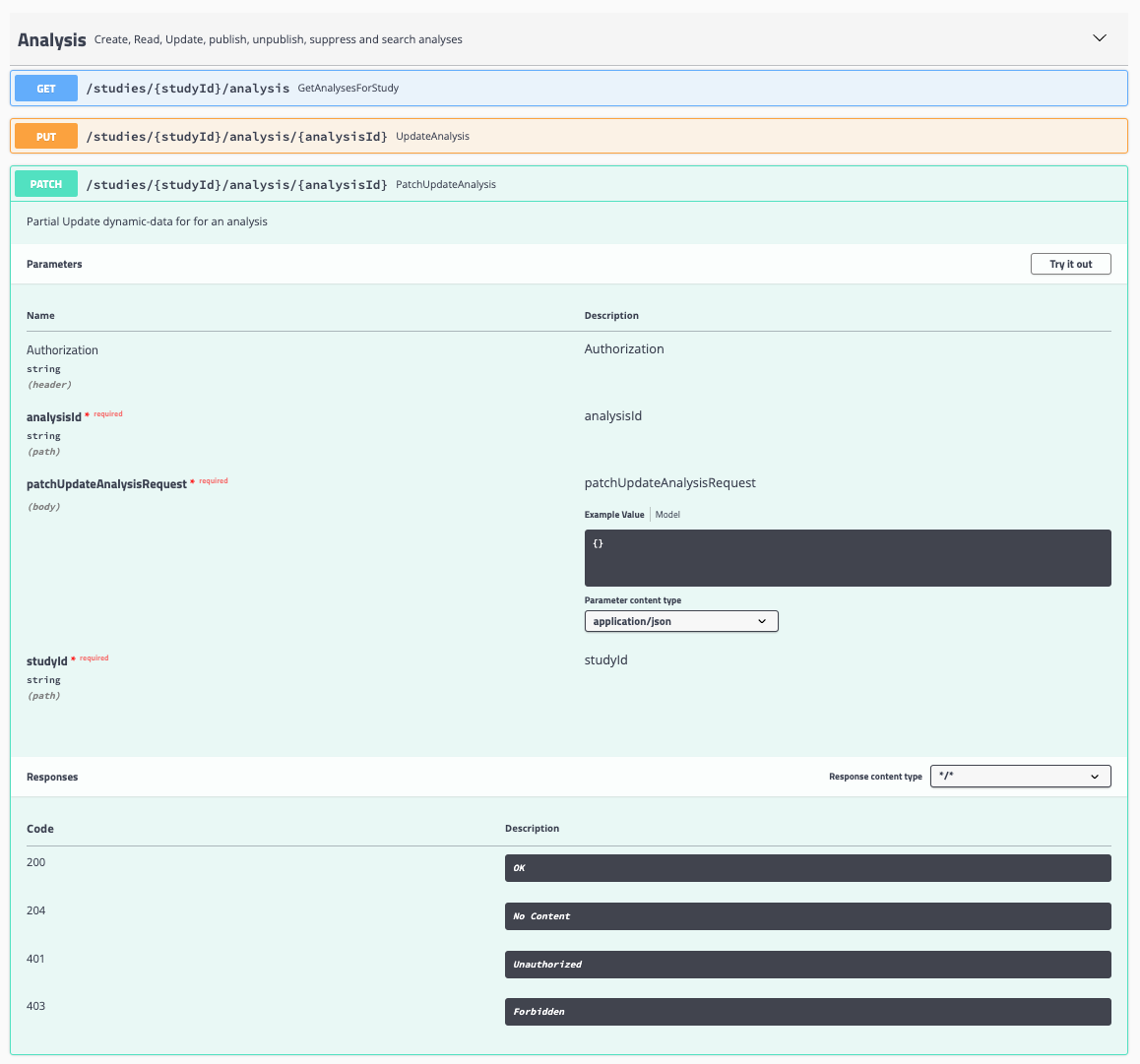
Required inputs for the PatchUpdateAnalysis endpoint:
- Authorization token
- Analysis ID
- Updated Analysis content
- Study ID
Programmatic Updates
The following examples demonstrate how to update analyses using the Song API programmatically.
For technical support or specific use cases, please don't hesitate to reach out through our support page or our discussion forum.
Updating a Single Analysis (Example)
This Python script is made to update a specific analysis in a given study:
import requests

# Define variables
analysis_id = "ANALYSIS-ABC123-SAMPLEA"
url = "https://<YOUR-SONG-URL>"
study = "ABC123"
api_token = "YOUR_API_TOKEN"

# PATCH endpoint
endpoint = f"{url}/studies/{study}/analysis/{analysis_id}"
headers = {
    "accept": "*/*",
    "Authorization": f"Bearer {api_token}",
    "Content-Type": "application/json"
}
payload = {'experiment': {'sequencing_instrument': 'new_value'}}

patch_response = requests.patch(endpoint, json=payload, headers=headers)
if patch_response.status_code != 200:
    print(f"Error calling patch endpoint: {endpoint}, Status code: {patch_response.status_code}")
Updating Multiple Analyses (Example)
This script updates every analysis whose submitter sample ID appears in a target list. Song has no server-side search for submitter sample or donor IDs, so it retrieves the study's analyses in bulk (as in the Metadata Retrieval guide) and filters them client-side before patching each match by its analysis ID:
import requests

# Define variables
samples_to_mod = ["SAMPLE_A", "SAMPLE_B", "SAMPLE_C", "SAMPLE_D", "SAMPLE_E", "SAMPLE_F"]
url = "https://<YOUR-SONG-URL>"
study = "ABC123"
status = "PUBLISHED"
api_token = "YOUR_API_TOKEN"
new_value = "Illumina MiSeq"

patch_headers = {
    "accept": "*/*",
    "Authorization": f"Bearer {api_token}",
    "Content-Type": "application/json",
}

# Retrieve the study's analyses in bulk (paginated).
analyses = []
offset = 0
while True:
    endpoint = f"{url}/studies/{study}/analysis/paginated?analysisStates={status}&limit=100&offset={offset}"
    response = requests.get(endpoint)
    if response.status_code != 200:
        print(f"Error: {response.status_code}, {endpoint}")
        break
    page = response.json()
    analyses.extend(page["analyses"])
    offset += 100
    if offset >= page["totalAnalyses"]:
        break

# Update every analysis whose submitter sample ID is in the target list.
# `samples[].submitterSampleId` is a custom-schema field; adjust the path to match your schema.
for analysis in analyses:
    if analysis["samples"][0]["submitterSampleId"] not in samples_to_mod:
        continue

    analysis_id = analysis["analysisId"]
    patch_endpoint = f"{url}/studies/{study}/analysis/{analysis_id}"
    payload = {"experiment": {"sequencing_instrument": new_value}}

    patch_response = requests.patch(patch_endpoint, json=payload, headers=patch_headers)
    if patch_response.status_code != 200:
        print(f"Error calling patch endpoint: {patch_endpoint}, Status code: {patch_response.status_code}")
        break
Important Note on Song-assigned IDs
Song-assigned IDs (analysis and object IDs) and those specified in the base schema are immutable and cannot be altered. If you need to change any of these values, it is recommended to UNPUBLISH and SUPPRESS the analysis, then resubmit it with the new information.